How to Test AI Agents Using Simulation Frameworks
Test AI agents with simulators: choose a framework, mock systems, set pass/fail rules, and run repeatable seeded tests.
If I had to sum it up in one line: test the agent in a simulated setup before it touches users, systems, or machines.
I’d do four things first:
- Pick the right simulator for the agent type: Gymnasium, PettingZoo, Unity ML-Agents, CARLA, Mesa, or AnyLogic
- Set clear pass/fail rules like 95%+ task completion, 0 safety rule breaks, and fixed handoff points
- Use mocks instead of live systems for APIs, payments, CRMs, and phone flows
- Run repeatable test cases with fixed seeds, structured logs, and regression checks in CI
This article is a practical guide for teams that already have an agent and need to test how it behaves before rollout. It covers single-agent RL, multi-agent systems, 3D navigation, driving, and business process simulation. It also explains what to measure: success rate, safety issues, tool-call accuracy, wait times, collisions, infractions, and stability across runs.
If you’re deciding between frameworks, here’s the short version: Gymnasium fits single-agent decision loops, PettingZoo fits multi-agent setups, Unity ML-Agents fits 3D movement, CARLA fits driving, and Mesa or AnyLogic fit workflow and staffing models.
Chaos By Design: Simulation Based Testing for AI Agents
sbb-itb-f123e37
Quick Comparison
| Framework | Best for | Fidelity | Stack | Multi-agent | Example use |
|---|---|---|---|---|---|
| Gymnasium | Single-agent testing | Low to medium | Python | Limited | Workflow bots, dialog policy |
| PettingZoo | Multi-agent testing | Low to medium | Python | Yes | Routing, negotiation, coordinated bots |
| Unity ML-Agents | 3D agents | High | Python + C# | Yes | Robots, drones, indoor navigation |
| CARLA | Driving agents | Very high | Python + C++ | Yes | AV, ADAS, road-rule testing |
| Mesa | Business process models | Low | Python | Yes | Claims, logistics, call centers |
| AnyLogic | Enterprise flow simulation | Medium | Java-based | Yes | Supply chain, retail, staffing |
A good simulation plan is simple: define the job, define the limits, mock the tools, run enough cases, score the results, and keep the worst failures as permanent test cases.
Choose the Right Simulation Framework for Your Agent
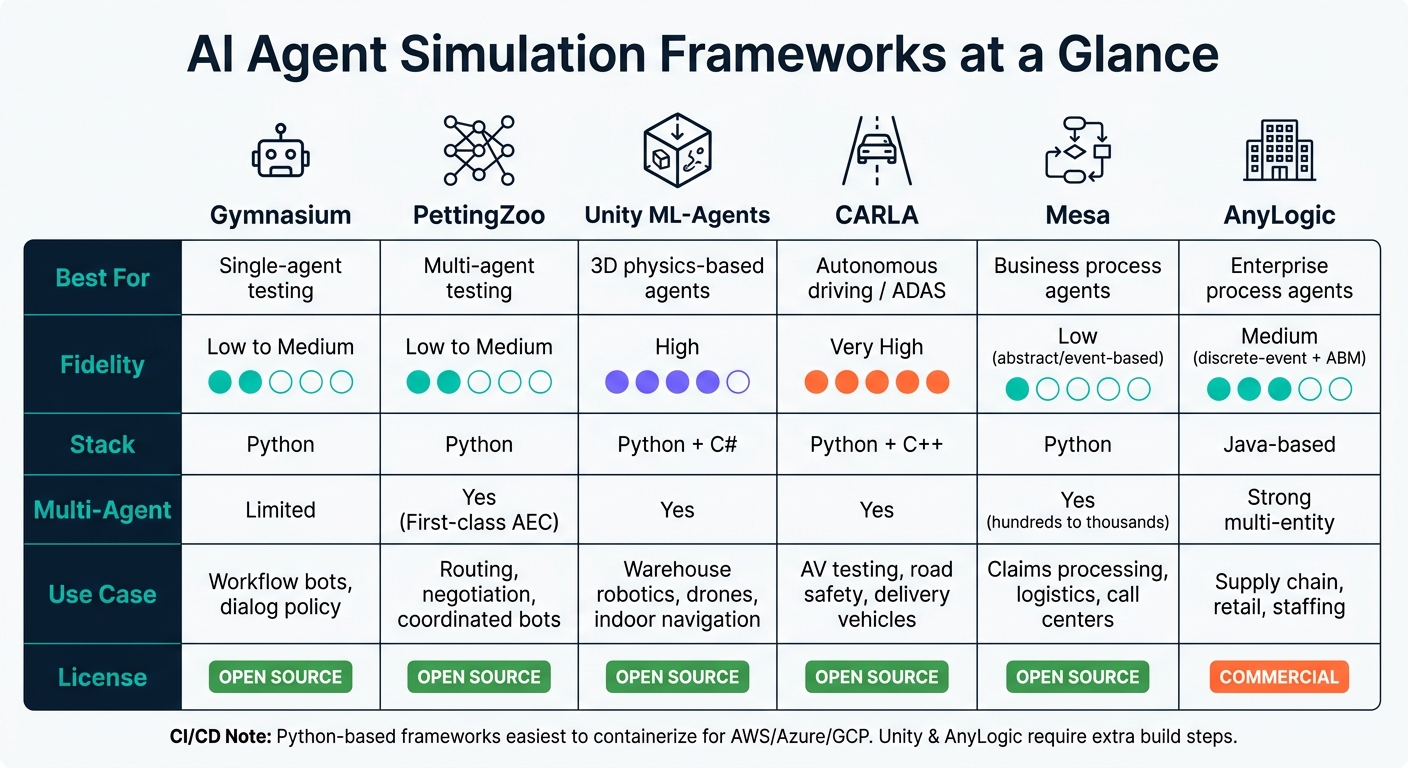
AI Agent Simulation Frameworks Compared: Which One Should You Use?
The framework you choose affects test speed, how close the simulation feels to production, and whether your setup will hold up once you move beyond early experiments. Make this call early, and the rest of your test design stays tied to actual operating limits instead of wishful thinking.
Match the Framework to Your Agent Type and Environment
Start with the agent’s job. Don’t start with the framework name.
Gymnasium works well for single-agent decision testing in Python.
PettingZoo fits agents that interact with each other, including turn-based and simultaneous multi-agent tests.
Use Unity ML-Agents for spatial agents like robots and drones that need 3D simulation and physics.
Use CARLA for autonomous driving and ADAS testing across road, traffic, and weather conditions.
Use Mesa or AnyLogic for billing, claims, contact center, logistics, and other workflow simulations.
Compare Framework Tradeoffs Before You Build
Before you commit, compare each option across five areas: agent type fit, simulation fidelity, programming stack, multi-agent support, and the kind of enterprise work it usually supports.
| Framework | Best-Fit Agent Type | Simulation Fidelity | Programming Stack | Multi-Agent Support | Typical Enterprise Use Case |
|---|---|---|---|---|---|
| Gymnasium | Single-agent RL | Low to medium (abstract) | Python | Limited (single-agent by design) | Workflow bots, dialog policy, process optimization |
| PettingZoo | Multi-agent RL | Low to medium (abstract) | Python | First-class (AEC model) | Coordinated bots, negotiation agents, contact center routing |
| Unity ML-Agents | 3D physics-based agents | High (3D physics) | Python API + C# (Unity) | Supported, custom design required | Warehouse robotics, drone navigation, indoor mobility |
| CARLA | Autonomous driving/ADAS | Very high (road simulation) | Python + C++ | Multiple vehicles and actors | Autonomous vehicles, delivery vehicles, road safety testing |
| Mesa | Business process agents | Low (abstract/event-based) | Python | Hundreds to thousands of agents | Claims processing, logistics, call center simulation |
| AnyLogic | Enterprise process agents | Medium (discrete-event + ABM) | Java-based | Strong multi-entity modeling | Supply chain, retail operations, innovation pipelines |
Licensing can change the shape of the project fast. Gymnasium, PettingZoo, Unity ML-Agents, CARLA, and Mesa are open-source. AnyLogic is commercial, so many enterprise teams will need budget sign-off before moving ahead.
The CI/CD side matters too. Python-based frameworks are usually easier to containerize and run in nightly builds on AWS, Azure, or GCP. Unity and AnyLogic often need extra build steps. AnyLogic may also require GUI-based model updates, which can slow down automation if you don’t plan for it early.
That choice shapes how you set up scenarios, mocks, and failure conditions in the next step.
How NAITIVE AI Consulting Agency Can Help
NAITIVE AI Consulting Agency helps organizations connect agent requirements and technical limits to a clear simulation plan. For AI automation agents, that often means deciding which workflows belong in discrete-event modeling with Mesa or AnyLogic, and which decision points need RL-style testing in Gymnasium.
For voice and phone agents, NAITIVE helps teams build dialogue-state environments in Gymnasium or PettingZoo, then layer in mocked telephony and ASR components. That lets teams test caller behavior and call-flow edge cases without touching live systems or real customers.
From there, the next move is building a repeatable harness around the chosen environment.
Once the framework is chosen, define goals, rules, failure states, and mocks before running tests.
Prepare Your Agent and Test Environment
Define Agent Goals, Rules, and Failure Conditions
Once you’ve picked a framework, the next step is to turn the agent’s job into rules that a simulation can score.
That matters because a goal like "help customers with billing" sounds fine, but you can’t test it in any clean way. A sharper version is: "resolve customer billing issues within 10 minutes without issuing unauthorized refunds."
Now you have something you can measure.
From there, break the job into smaller goals. Then set the hard limits, tool permissions, and escalation points. For example, the agent might be told to "never process a payment over $5,000 without human approval" or "never access records outside the requesting customer's account." You should also spell out when it has to hand things off, like after three failed attempts or when a topic has legal risk.
Once those rules are written down, convert them into pass/fail targets. That could mean:
- Task completion rate of 95% or higher
- 100% policy compliance
- No more than 2 minor phrasing errors per conversation
- Zero safety violations
That’s the point where the agent’s job stops being fuzzy and starts being testable.
Build a Repeatable Test Harness
A test harness that gives you different results every time is hard to trust. To make runs repeatable, you need a few things lined up: fixed random seeds, deterministic environment resets, and structured logging.
Keep every prompt template, reward function, and environment setting in version control. Tag each simulation run with the exact commit hash, model version, and config version used. That way, when something shifts, you can trace it back instead of guessing.
For RL agents, apply seeds the same way across Python’s random, NumPy, and the framework-level RNG. Gymnasium uses env.reset(seed=42) as the standard starting point, and PettingZoo includes determinism checks to confirm that two seeded environments produce identical results. That kind of consistency makes run-to-run comparisons possible.
For LLM-based agents, lock down sampling temperature and top-p settings. Version system prompts alongside agent logic so prompt drift doesn’t sneak in. And send all tool calls through mocked endpoints that return controlled responses.
Each run should also create a structured log. At a minimum, log:
- Timestamps in ISO 8601 format
- A unique run ID
- Observations
- Actions
- Rewards or outcomes
- Any errors at each step
Use at least 30 evaluation cases per agent so your evaluation dataset has enough depth to mean something.
Mock External Systems Without Production Risk
Real CRMs, payment processors, and call-routing services should stay out of the simulation loop.
Instead, build mock services that match those systems’ interfaces but run only on synthetic data. That can include realistic U.S. customer profiles with randomly generated names, addresses, and account IDs; payment endpoints that check U.S. dollar transaction formats and return plausible success or failure codes; and knowledge bases filled with sample FAQs and policy documents.
Isolation here isn’t optional. Mocks should run on separate networks and authentication domains, and every config file should label them clearly as test systems.
This is also where fault injection comes in. Add normal latency in the 100 to 500 ms range, with occasional spikes of 5 to 10 seconds. Return malformed payloads with missing fields or invalid data types. Script outage cases like "payment API returns 503 errors every third request." Then watch what the agent does. Does it retry safely, escalate, or keep going with partial data?
That behavior should map straight to your acceptance criteria. An agent passes only if it keeps all safety limits in place and follows escalation rules even while the mocked systems are failing.
With the harness, rules, and mocks ready, you can move into controlled episodes in the framework you chose.
Run Simulations Step by Step in Common Frameworks
Use the same loop in every simulator: reset, act, log, score, repeat. That way, you can run one test pattern across different tools and compare results without mixing up the setup.
Gymnasium and PettingZoo: Single-Agent and Multi-Agent Tests
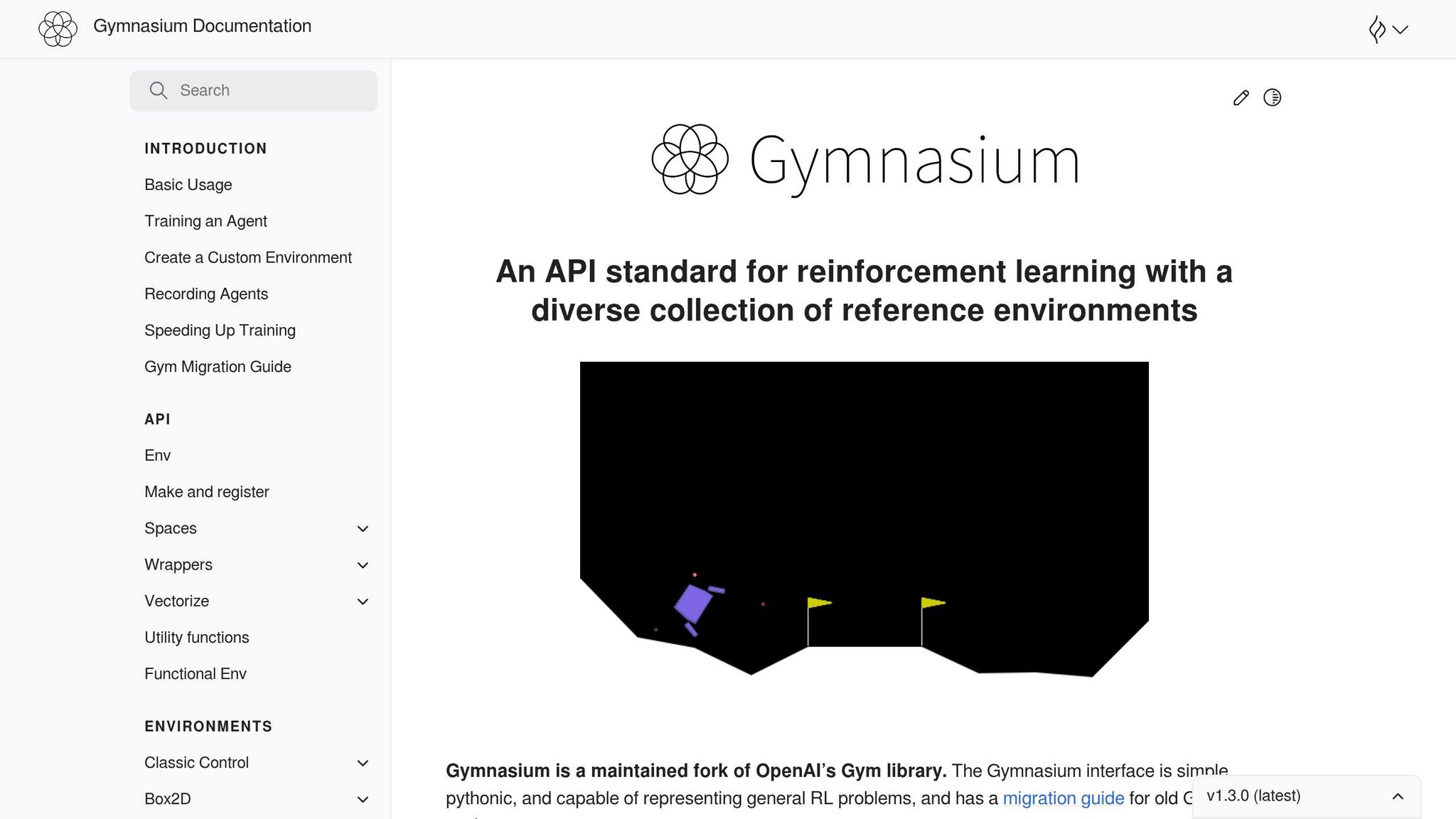
For a basic Gymnasium test, start with a simple environment like CartPole-v1.
- Install the package with
pip install gymnasiumand any extras you need, such asgymnasium[classic-control]. - Create the environment in code.
- Call
env.reset(seed=42). - Run the episode loop by picking an action, calling
env.step(action), and storing the returnedobservation,reward,terminated,truncated, andinfo. - When
terminatedortruncatedisTrue, reset the environment and start the next episode. - Call
env.close()when you're done.
For each step, log the observation, action, reward, termination flags, and info. After 100-1,000 episodes, report success rate, average reward, average episode length, and run-to-run variance. That gives you a clean baseline instead of a one-off result that might flatter the agent.
For PettingZoo, use the AEC loop. Install it with pip install pettingzoo, and add backend packages if needed, such as supersuit. Then initialize an environment like env = pettingzoo.mpe.simple_tag_v3.env(), call env.reset(seed=42), and iterate through agents with for agent in env.agent_iter():.
At each turn, call observation, reward, termination, truncation, info = env.last(). If the agent is done, pass None. If not, choose an action and pass that in. Record per-agent trajectories and rewards so you can study behavior later instead of guessing what went wrong.
For multi-agent evaluation, track per-agent success rate, average joint reward, and reward variance across agents and seed-to-seed stability. Those numbers help surface coordination issues that may stay hidden in a single run.
Use abstract environments for policy logic first. Move to 3D and sensor-heavy simulators when perception and motion start to matter.
Unity ML-Agents and CARLA: High-Fidelity Simulation
Use Unity ML-Agents for 3D navigation and CARLA for driving tests.
With Unity ML-Agents, a common setup looks like this:
- Install Unity Hub and the Unity Editor.
- Add the ML-Agents package in Unity and install the Python package with
pip install mlagents. - Build a Unity scene with a floor, walls, obstacles, and a goal zone.
- Attach a
Decision RequesterandBehavior Parameterscomponent to the agent GameObject. - Set observations with raycasts or a camera feed, choose a discrete or continuous action space, and assign rewards for reaching the goal, penalties for collisions, and a small living penalty.
- Run training or evaluation with
mlagents-learn.
For navigation tests, check whether the agent reaches the goal without collisions. Log episode reward, success rate, collision count, and time-to-goal for each scenario.
For CARLA, use it to test autonomous driving and traffic-rule compliance. Install the CARLA server and the Python client with pip install carla, connect to the server, and load a map. Then spawn an ego vehicle, add NPC vehicles and pedestrians, and attach sensors such as an RGB camera, LiDAR, and GPS.
Your agent logic should read the sensor data and output steering, throttle, and brake commands. Build scenarios like a pedestrian stepping into the road, a red light at an intersection, or a four-way stop. Capture trajectories, collisions, violations, and sensor data. Useful summary metrics include infraction rate per mile and traffic compliance rate.
When an agent works inside a larger workflow, test the whole process, not just one choice in isolation. A driving policy that handles lane changes well but fails at intersection timing still has a problem.
Mesa and AnyLogic: Business Process Simulation
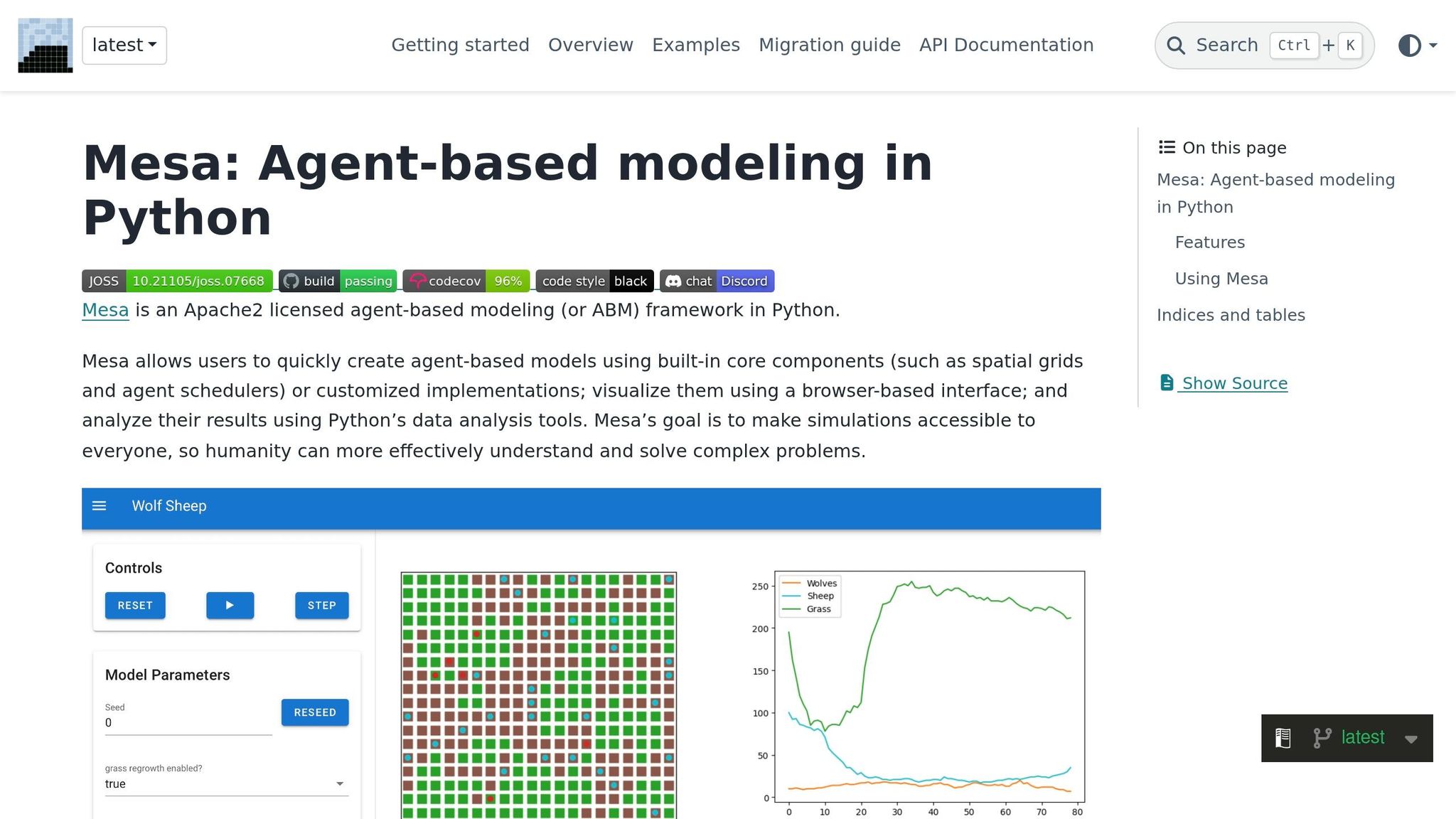
For enterprise workflows, use Mesa and AnyLogic to model demand, routing, and staffing.
In Mesa, build the workflow as an agent-based model. Define agent classes for each role in the process, such as CustomerAgent, EmployeeAgent, and BotAgent. Give each one the fields it needs, like arrival time, patience threshold, skills, service rate, and escalation rules. Then create a Model class that sets realistic volumes, builds a scheduler, and manages simulation state.
Advance the model each tick with self.schedule.step(). Use Mesa's data collectors to track throughput per hour, queue length distributions, average wait times, and bot and employee utilization. Run multiple seeds over 30 simulated days so the results reflect more than one traffic pattern.
AnyLogic supports discrete-event, agent-based, and system dynamics modeling in one tool, which makes it a strong fit for complex enterprise workflows. Represent AI bots as agent types with processing-time distributions and accuracy parameters. Represent human workers as resource pools with hourly costs in USD and 9 a.m.-5 p.m. shifts. Use process blocks like queues, service steps, delays, and routing nodes to model the workflow end to end.
Then simulate demand patterns such as Monday morning surges or end-of-month billing cycles. Track SLA compliance, bot-to-human escalation, cost per case, and 90th/95th percentile wait times. Those numbers make it much easier to judge whether the automation is ready for live use.
Evaluate Results and Make Simulation an Ongoing Practice
Measure Success, Safety, and Reliability
After each simulation run, turn logs into metrics that show whether the agent is safe, reliable, and ready to ship. Look at four areas: task success, safety, reliability, and performance.
The right metrics depend on the kind of agent you're testing. For task-focused agents like workflow bots or robotic controllers, pay close attention to trajectory quality, tool correctness, and failure recovery. For conversational or multi-turn agents, add conversation checks like factuality, adherence, and turns to resolution. Multi-agent systems need another layer too: coordination efficiency and conflict resolution.
The table below shows which metric groups line up best with each framework:
| Metric Category | Key Metrics | Best-Suited Frameworks |
|---|---|---|
| Task completion | Success rate, goal achievement, route completion | Gymnasium, Unity ML-Agents, CARLA |
| Trajectory quality | Step count, unnecessary loops, missing steps | Gymnasium, PettingZoo |
| Tool use correctness | Tool success rate, argument validity, critical miscall rate | Custom harnesses |
| Safety violations | Collision rate, infraction rate, policy breach count | CARLA, Unity ML-Agents |
| Conversation quality | Adherence, factuality error rate, turns to resolution | Custom harnesses |
For robustness testing, track jailbreak success and defense success. Those numbers tell you how the agent responds when someone tries to push it off course with adversarial inputs.
One rule matters here: compute metrics from simulation logs and execution traces every time. Set pass/fail thresholds before testing starts, and treat any miss as a release blocker.
Then do one more thing that teams often skip: take the worst failures and turn them into permanent test cases.
Build Regression Suites and CI Workflows
Metrics don't mean much if you only check them once in a while.
Run smoke tests on every build, regression tests daily, and extended suites weekly. Use the same framework, scenario, and seed set for each regression pass so results stay comparable from run to run. If you change too many variables at once, it's hard to tell whether the agent got better or just got a different test.
Tag every run with a version ID, timestamp, and config link. Track past results so you can spot when a metric drops below its baseline and dig in before that issue hits production.
The best regression suites usually come from real incidents in the field. When something breaks, capture the full context:
- inputs
- outputs
- tool calls
- environment state
Then encode that incident as a deterministic simulation case with clear assertions, such as no PII leaked or conversation must escalate if X occurs. High-risk incidents should become permanent test cases within 48 hours, and releases should pass those tests in CI. Over time, that gives you a lasting record of failure modes instead of a pile of one-off lessons.
Conclusion: A Practical Path to Safer AI Agents
Simulation-based testing works best when it's part of the default delivery flow, not just a pre-launch check. Pick the framework that fits your agent type, define goals and failure conditions up front, measure outcomes with a consistent set of metrics, and connect simulation results to your CI pipeline as a release gate.
If your team wants help moving faster, NAITIVE AI Consulting Agency can help set this up end to end - from choosing the right frameworks and defining business-aligned metrics to building regression suites and wiring simulation into CI/CD workflows. That support can be especially helpful for complex agent types like phone and voice autonomous agents, where conversation quality and failure recovery thresholds are often harder to pin down without prior experience.
FAQs
How do I choose the right simulation framework?
Choose a simulation framework that fits what your agent actually has to do and the metrics you care about most.
Track technical metrics, like tool-call accuracy and instruction adherence. Then track business outcomes, like completion rate, time saved, and cost.
The framework should also support realistic multi-turn simulations, messy edge cases, and LLM-as-a-judge scoring. If your tests don’t look like real usage, the results won’t tell you much.
For reproducibility, lock down the setup:
- Use a standardized system prompt
- Keep the tool set fixed
- Run evaluations in containers
- Preserve one final test split that stays untouched
That last part matters more than it seems. If you keep tweaking against the same final test set, you’re not measuring performance anymore - you’re studying to the answer key.
What should I mock before testing an AI agent?
Before you test an AI agent against a live model, mock LLM responses with a StubProvider. That lets you check error handling and argument validation without paying for API calls.
It also helps to mock the parts around the model. This makes it easier to unit-test routing, retry rules, and guardrails in isolation. You can see what breaks, what retries, and what gets blocked before any live call enters the picture.
One more thing: keep prompts and configs separate from your main application logic. That way, you can swap them during evaluation without touching the core code.
How many simulation runs are enough to trust the results?
It depends on the test stage:
- 500 recent scenarios or tickets for an offline baseline
- 100 synthetic scenarios for domain-specific testing
- 2,000 shadow-mode interactions to spot performance gaps
- 20–50 hand-picked successful and failed interactions as a regression suite
Taken together, these numbers help build confidence across baseline evaluation, day-to-day handling, comparison testing, and later updates.