Case Study: AI Agents in Student Support
Mid-size university cut support costs 35%, sped responses 40–60%, and raised aid completion by automating high-volume student workflows with AI.
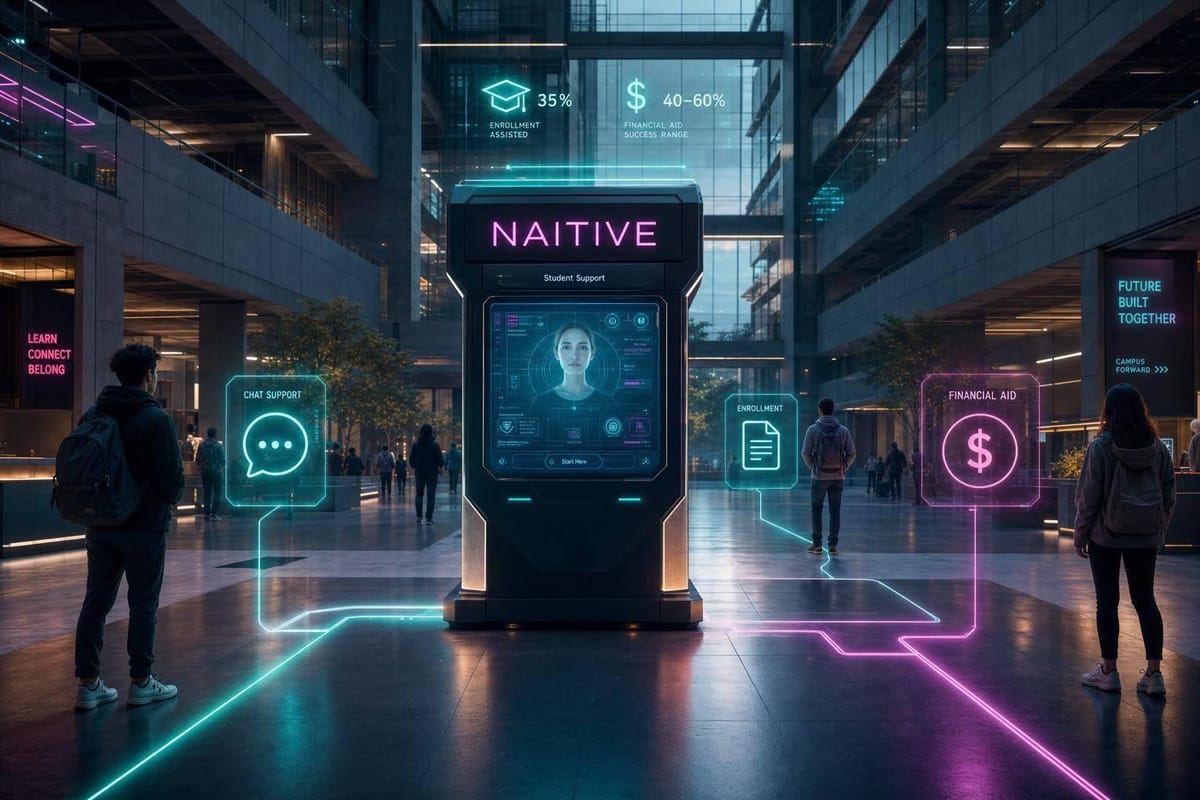
One university used AI agents to cut student support costs by 35%, shorten response and resolution times by 40%–60%, and handle more than 300% more availability. If you want the short version, that happened because the school started with repeat student questions, connected the agent to campus systems, and sent high-risk cases to staff.
Here’s the core takeaway in plain English: AI agents worked best when they did more than answer FAQs. They checked live student data, handled simple tasks across web, portal, SMS, and phone, and helped staff spend less time on routine requests.
What I’d take from this case study:
- Start with high-volume, rule-based requests like FAFSA steps, registration issues, document questions, and deadline reminders
- Use human handoff rules early for aid appeals, probation, mental health concerns, and other sensitive cases
- Connect the agent to campus systems so it can check holds, balances, status, and appointments
- Focus on student access because 40%–60% of interactions happened after hours
- Track hard numbers, not just staff feedback, like:
- Under 1 minute first-response time for chat and SMS
- 30%–70% of Tier 1 questions handled by the agent
- 5–10 percentage point lift in financial aid completion
- 20%–40% fewer registration errors
- 2–4 percentage point lift in term-to-term re-enrollment
A quick look at the before-and-after picture:
| Area | Before | After |
|---|---|---|
| First response time | 12–48 hours | Under 1 minute |
| Support access | Business hours only | 24/7 across channels |
| Staff workload | Heavy routine question volume | More time for student advising |
| Registration mistakes | Common during peak periods | 20%–40% fewer errors |
| Financial aid completion | Lower baseline rate | +5–10 points |
The big lesson: if you want AI agents to help student services, don’t begin with a generic chatbot. Begin with the busiest workflows, connect the agent to live data, and set strict limits on what it can and cannot do.
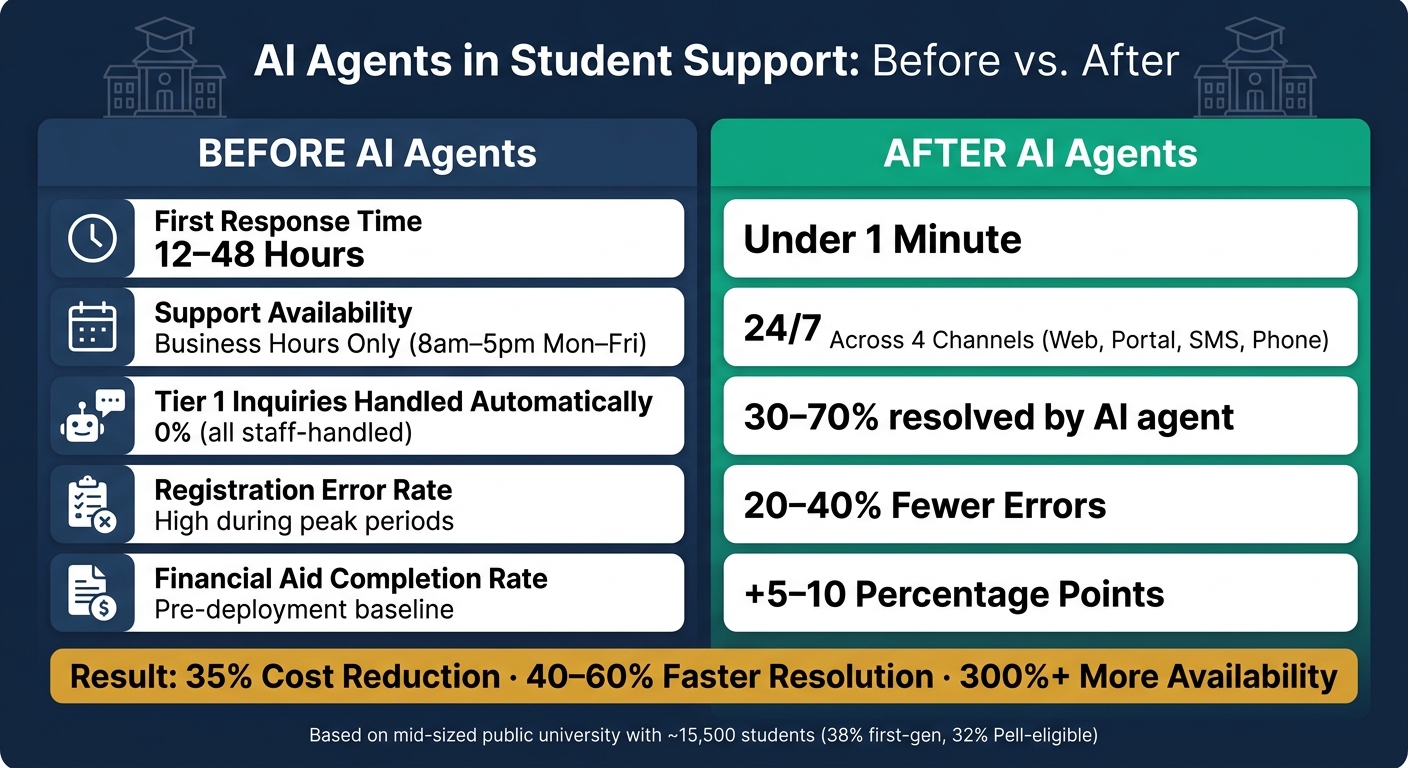
AI Agents in Student Support: Before vs. After Key Metrics
AI Agents for Higher Ed: Launch Webinar | Scale Student Support Without Adding Staff
sbb-itb-f123e37
Institution Profile, Student Needs, and Baseline Problems
This case study centers on a mid-sized public university with about 12,500 undergraduate students and 3,000 graduate students across liberal arts, STEM, business, and health sciences.
The student mix matters here. About 38% are first-generation college students, and 32% are Pell Grant–eligible. That puts extra strain on financial aid, advising, and academic planning teams. On top of that, many part-time and adult learners are juggling work and family, which made an office-hours-only support model hard to sustain.
Because most students commute instead of living on campus, remote access isn't a nice extra. It's a core part of student support. The school also runs on a fall/spring semester schedule with several short summer sessions, so advising demand spikes in August–September and again in January.
Student Support Workflows Selected for AI Automation
To cut the worst delays first, the university focused on two types of workflows.
Informational workflows were high-volume and low-complexity. These included things like:
- explaining FAFSA renewal steps
- clarifying add/drop deadlines
- showing students how to fix registration errors
- answering questions about admissions documents
These were a good fit for end-to-end handling by an AI agent tied to a policy-based knowledge base.
Transactional workflows needed a bit more coordination. These included appointment scheduling for advising and tutoring, routing hotline calls to the right office, checking live application or document status, and starting standard intake forms such as major change requests.
The rule was simple: AI agents could handle low-risk steps on their own. Cases involving financial aid appeals, academic probation, or more complicated personal situations went straight to a human advisor. The university picked these workflows because they had the highest volume and the longest delays.
Baseline Metrics and Service Gaps Before Implementation
The pre-launch numbers were hard to ignore.
During peak registration periods, phone advising wait times ran 25 to 35 minutes and sometimes went past 45 minutes. Email replies took an average of 2.5 business days, and that stretched to 3 to 4 days around financial aid and registration deadlines. By the end of each week, there were still 600 to 800 open tickets across advising, financial aid, and registrar teams.
Student progress was taking a hit too. On-time enrollment for incoming first-year students was about 82%. The estimated summer melt rate was 12% to 15% - students who were admitted but never showed up for the first day, often because a question sat unanswered or a deadline slipped by.
Meanwhile, individual advisors were spending 50% to 65% of their time on routine questions. That left less than half of the day for harder advising work tied to retention. In plain terms, the service model had hit its limit, especially for students with the least room for delay. Those gaps shaped the first automation targets.
AI Agent Design and Deployment
To fix those gaps, the university didn’t roll out a simple chatbot. It built a governed agent stack.
At the core was an LLM with retrieval-augmented generation (RAG), grounded in a curated knowledge base that included policy documents, financial aid FAQs, advising rules, and key deadlines. That mattered because policy-heavy questions needed grounded answers. Delays and bad information were already hurting enrollment and advising results.
Intent detection worked through two layers. The LLM handled nuanced, open-ended questions with few-shot classification. A separate layer of keyword and pattern filters looked for self-harm, harassment, or threat language and triggered automatic escalation no matter the context. Put simply, one layer gave the agent room to handle everyday questions, while the other set hard limits for high-risk cases. Those controls also shaped how the agent was used across web, portal, SMS, and voice.
Channels, Integrations, and Agent Behaviors
A single agent served four channels, each matched to how students tend to communicate.
- Web chat handled broad questions from prospective and current students.
- Portal assistant ran inside the authenticated student portal and gave personalized status updates on holds, balances, advisor assignments, and deadlines.
- SMS worked best for proactive outreach. It sent short, action-focused reminders, like FAFSA deadline alerts, with a reply option that launched step-by-step instructions. That made it a strong fit for students with limited data access or those who mostly used their phones.
- Phone/voice agent answered the main student services line first, routed calls by intent, handled basic questions, and passed the conversation to a human with a summary already prepared.
The agent also connected to core campus systems. It integrated with the SIS for enrollment status, holds, and balances; the LMS for upcoming assignment deadlines; and advising scheduling tools so students could book appointments directly. Automated reminders went out 24 hours and 1 hour before each appointment to cut down on no-shows.
An integration layer standardized APIs across systems and enforced role-based access. So while the agent could read most records, it could only write to a small set of approved actions, such as starting an appointment request or updating communication preferences. Those integrations were rolled out in stages, starting with the lowest-risk channels.
Rollout Phases, Governance, and Safeguards
The first 8–12 weeks centered on process mapping with advising, financial aid, IT, and institutional research. The goal was to find the highest-volume, highest-friction workflows and set success metrics early.
The pilot phase ran for one to two terms. It was limited to the portal and web chat channels and focused on advising and financial aid. Each week, a cross-functional team reviewed conversation transcripts and flagged wrong answers, unsupported outputs, and missed escalations. Knowledge base entries were updated in sprints, and guardrails got tighter based on what the logs showed.
Governance followed a clear ownership model. Student affairs owned the agent’s goals. IT owned security and integrations. Each office owned its own content.
Each functional area, including financial aid, the registrar, and advising, had a designated content owner responsible for keeping knowledge base entries accurate and current. Changes to high-risk content, such as anything involving Title IV rules or immigration guidance, needed dual approval from a subject-matter expert and a compliance reviewer.
All conversations were logged, and periodic audits reviewed samples for accuracy, tone, and any signs of bias across student groups. The agent disclosed its AI status at the start of every interaction, and students could ask for a human at any point. For institutions without deep internal AI expertise, external partners such as NAITIVE AI Consulting Agency were brought in to support architecture design, agent behavior configuration, and change management.
Measured Results: Student Outcomes and Operational Impact
Compared with the earlier backlog, long wait times, and heavy routine demand, the impact showed up fast. And it showed up in two places: what students felt right away, and what changed for staff behind the scenes.
What Changed for Students
The biggest shift was always-on access. Before deployment, support was limited to standard business hours: 8:00 a.m. to 5:00 p.m., Monday through Friday. After launch, 40–60% of interactions happened after hours, and average first-response time fell from 12–48 hours to under 1 minute for chat and SMS. Survey scores for accessibility and helpfulness also went up by 10–20 points.
Students also got through key tasks more often. FAFSA reminders and on-demand Q&A through the SMS agent were linked to a 5–10 percentage point lift in financial aid completion rates, and fewer students missed document deadlines. Registration errors, like choosing the wrong course section or leaving holds unresolved, dropped by 20–40% because students got help in real time through the portal assistant instead of giving up midway through the process.
| Metric | Before AI Agents | After AI Agents |
|---|---|---|
| Avg. first-response time | 12–48 hours | Under 1 minute (chat/SMS) |
| After-hours interactions handled | Office-hours only | 40–60% of total volume |
| FAFSA/financial aid completion rate | Pre-deployment baseline | +5–10 percentage points |
| Registration error rate | Pre-deployment baseline | 20–40% fewer errors |
| Term-to-term re-enrollment rate | Pre-deployment baseline | +2–4 percentage points |
Those student gains also eased pressure on service teams.
What Changed for Staff and Service Operations
AI agents took on 30–70% of Tier 1 inquiries. These were the repeat questions about deadlines, holds, and balances that used to clog staff queues. That gave advisors more time for degree planning, financial counseling, and outreach to students who might be at risk. This shift illustrates the broader impact of AI consulting on organizational efficiency.
Human-staffed interactions also became shorter on average because the agent had already gathered context before the handoff. Phone queues got shorter during busy periods, and work spread out more evenly across the term instead of piling up around registration and financial aid deadlines.
Channel results varied depending on the job.
| Channel | Avg. Response Time | Resolution Rate | Student Satisfaction |
|---|---|---|---|
| SMS | Seconds | High for reminders and single-step tasks | High; preferred by mobile-first students |
| Web Chat | Under 1 minute | Highest; supports links, instructions, embedded forms | High; convenient for self-service during active sessions |
| Voice Agent | Immediate pick-up | Moderate; best for routing and simple questions | Moderate-to-high; valued by students who prefer phone calls |
SMS stood out for reach and proactive engagement. Web chat went deeper on resolution. Voice absorbed call volume and cut hold times during peak registration weeks.
Lessons Learned and Conclusion
These results didn’t happen by accident. They came from decisions made before launch: picking the right workflows, linking agents to student data, and setting clear rules for when a human had to step in.
The biggest lesson was simple: usefulness came from context, not volume.
A basic FAQ chatbot helped a little, but the gains were limited. Better results on financial aid completion, registration, and student persistence came when the agent knew who it was talking to. That meant understanding things like enrollment status, open holds, and upcoming deadlines - and then using that context to take action before the student even asked.
That’s why proactive outreach beat passive FAQ chat. It didn’t wait around for a question. It used student context to push the next step on deadlines, holds, and enrollment tasks.
That approach only worked because the agent could do more than answer questions. It could work with live student data. Depth of integration was the second big factor. Agents tied into the student information system and financial aid platform could help solve issues from start to finish in one conversation. Agents without those links could only send students somewhere else.
Logging every interaction also made a big difference. Staff had the full story during handoffs, which cut down on repeat work. Faster resolution and fewer handoffs came from deeper system connections.
Clear escalation rules also mattered. They protected trust and kept risk in check. The institution set hard boundaries for cases like mental health concerns, complaints, and complex aid disputes. In those moments, the agent’s job was not to improvise. Its job was to spot the issue, route the student to the right resource, and pass the case to a trained human with the full conversation history attached.
Design Principles That Apply Beyond Education
These lessons go well beyond student services. Any organization dealing with high-volume, repeat service questions can use the same playbook: begin with workflows that are common, clearly defined, and tied to data the agent can access.
For more complex deployments, NAITIVE AI Consulting Agency can help design multi-agent systems, governance, and monitoring.
FAQs
How long did implementation take?
Implementation timelines depend on the size of the project and how much work is involved. For example, large AI agent rollouts - like voice AI across 10 hospitals - can be finished in as little as six weeks.
In other cases, teams may start seeing performance gains within three weeks of the first rollout.
What systems did the AI agent need to connect to?
The AI agent had to connect with the organization’s existing information platforms and data repositories. That connection let it pull the right support information, sort incoming requests, and deliver accurate answers without manual work.
NAITIVE AI Consulting Agency focuses on building and managing these integrations so teams can run more smoothly and students can get help with less friction.
How were sensitive student cases handled?
Sensitive student cases were handled with a hybrid model that put people first when situations got complex or delicate. AI agents used natural language processing to read intent and sentiment, then passed sensitive issues to human representatives automatically.
To keep the handoff smooth, human agents received the full conversation history, the reason for the escalation, and any relevant data gathered during the exchange. That meant staff could step in with nuance and personal care, without asking students to repeat themselves.