
AI Agent Metrics: Strategies for Enterprise Use
Measure AI agents by outcomes - track automated resolution, override rate, end-to-end time, cost, and safety to find and fix failures.
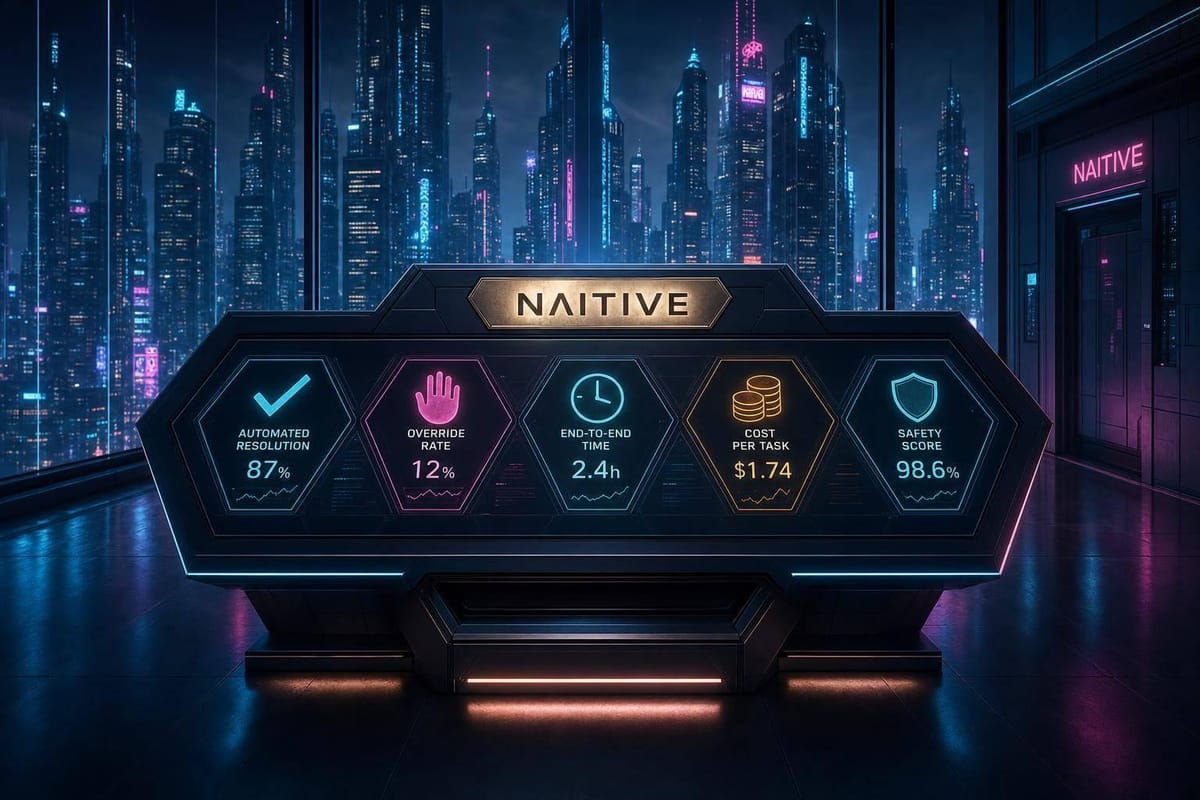
If I had to pick just five metrics to start with, I’d use automated resolution rate, first contact resolution, human override rate, end-to-end resolution time, and cost per decision. Those five show whether an AI agent finishes work, how often people still need to step in, how long the full job takes, and what each result costs.
Right now, many teams are still behind on measurement. Only 47% of organizations track AI-specific KPIs, while 86% expect to do it within the next 12 to 24 months. That gap matters when agents handle refunds, identity checks, or policy-bound tasks.
Here’s the short version of what matters:
- I wouldn’t judge an enterprise agent with one number alone.
- I’d group metrics into quality, speed, cost, safety, and system reliability.
- I’d change the scorecard based on the job:
- Support agents: resolution, FCR, customer effort, cost
- Voice agents: containment, escalation, handoff quality
- Workflow agents: completion, tool-call accuracy, audit trail accuracy, time saved
- I’d test with offline sets first, then watch live logs, traces, overrides, and cost data in production.
- I’d treat override rate and policy checks as top priorities for high-risk work.
A plain way to think about it: good AI agent measurement is less about activity and more about outcome, risk, and spend. That’s the core idea behind the article.
The AI agent metrics framework ft. Anastasia Zamyshlyaeva, Jeff Schinella & Jeremy Castile
sbb-itb-f123e37
Core metric categories for evaluating AI agents
When you evaluate AI agents, it helps to sort metrics into three groups: output quality, operational performance, and safety. That split makes things easier to read. You can see what the agent gets right, how well it runs, and where it slips outside policy.
Accuracy, task success, and output quality
Focus on outcomes, not activity. In plain terms, that means moving away from raw volume counts and using metrics like Automated Resolution Rate and sampled Decision Accuracy over time. Zendesk's Vanessa Kahn said it well:
"Traditional CX metrics aren't enough to measure true AI impact. It's time for teams to focus on outcomes, not just activity."
There’s a catch here: accuracy at launch doesn’t tell the whole story. Inputs change. Policies change. Even small shifts in how people phrase requests can nudge an agent off course. That’s why regular sampling matters. Reviewing decisions at set intervals helps teams spot drift early instead of finding out after performance has already slipped.
Reliability, latency, and cost efficiency
Cost per Decision needs to cover the whole picture, not just the API bill. Include API usage, retrieval, human review, and error-recovery costs. Fredrik Falk of Beam.ai put the math in simple terms:
"A decision that costs $0.02 in API calls but that activates a $50 manual review 30% of the time, actually costs an average of $15.02 per decision."
That example makes the point fast. A cheap model call can still turn into an expensive workflow.
It also helps to track End-to-End Resolution Time, which is the total time to resolution, including handoffs. Looking at latency by itself can be misleading. A fast response from the agent doesn’t mean the customer got a fast outcome if the case stalled during transfer or review.
Safety, hallucinations, and policy compliance
Safety metrics show where the agent needs guardrails. Human Override Rate tracks how often a person reverses a decision the agent already made. If that number starts climbing, it often points to thresholds that are off or escalation logic that needs work.
Escalation Quality looks at whether handoffs to humans were warranted. This helps teams catch both sides of the problem: cases that should have been escalated but weren’t, and cases that got handed off for no good reason.
For hallucination risk, many teams rely on curated test sets built from real tickets and policy documents, then run those as offline evaluations before production and during production. That gives them a stable baseline. It’s a lot better than waiting for live mistakes to reveal weak spots. These checks matter most when the agent is working in customer-facing or regulated workflows.
The mix of metrics you lean on most will change based on the job. A support agent, a voice agent, and an agent handling multi-step workflows won’t all be judged the same way.
How the right metrics depend on the agent's job
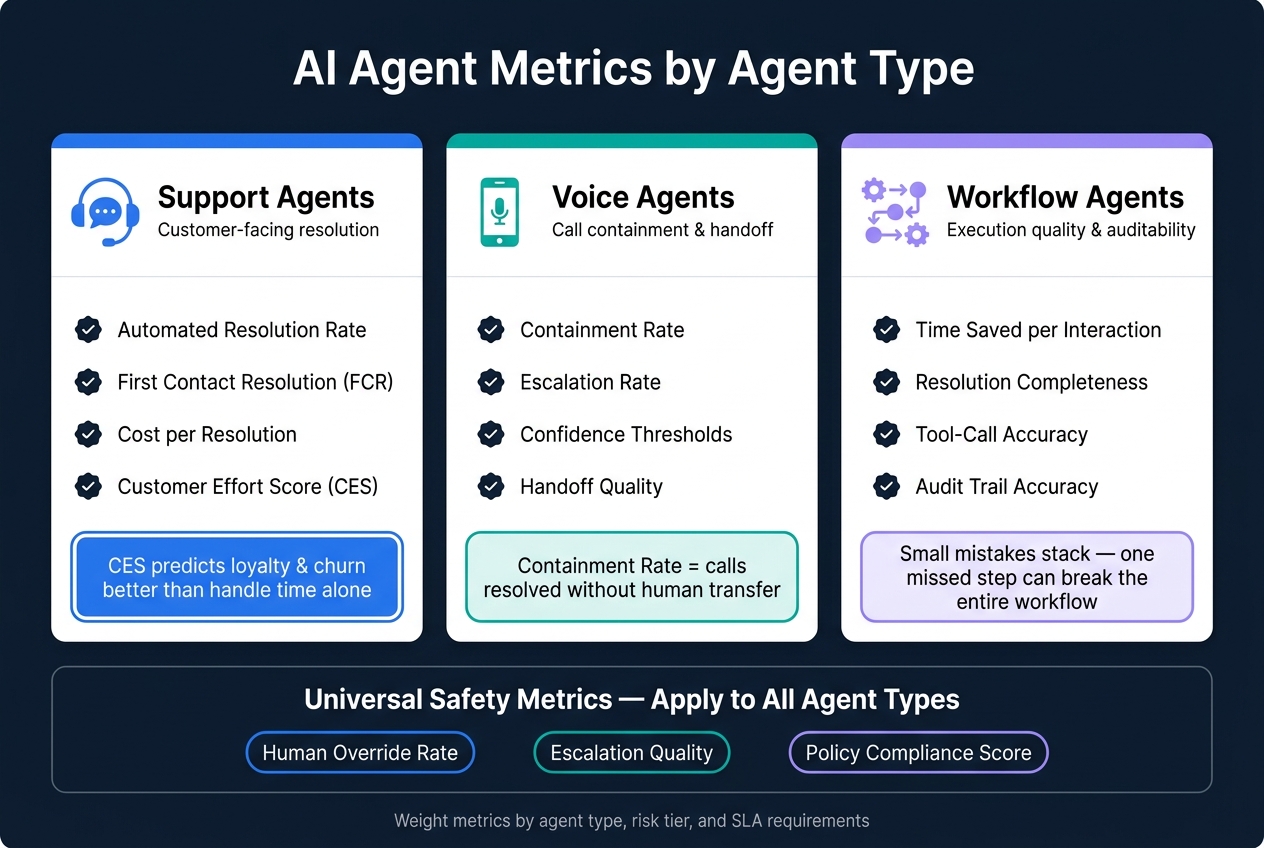
AI Agent Metrics by Agent Type: The Enterprise Scorecard
The right scorecard depends on what the agent is there to do.
A support agent, a voice agent, and a workflow agent can all look "good" on paper while failing in very different ways. That's why the core categories - quality, reliability, and safety - need to be turned into job-specific metrics.
Customer service and support agents
For support agents, the most useful metrics are Automated Resolution Rate, Cost per Resolution, and First Contact Resolution (FCR). Together, they show three things that matter fast: cost, speed, and how much friction the customer had to deal with.
It's also smart to track Customer Effort Score (CES). Why? Because CES does a better job of predicting loyalty and churn than handle time alone.
Voice agents and phone automation
For voice agents, Containment Rate is the main starting point. It shows how often calls are fully resolved without being sent to a human.
But that number doesn't tell the whole story. Escalation Rate and confidence thresholds also matter for handoff decisions, especially when a call drifts into a high-risk or regulated topic. On a simple call, a rough handoff might be annoying. In a multi-step flow, it can turn into a much bigger problem.
Workflow and multi-step automation agents
With multi-step agents, small mistakes stack up. One missed step can throw off everything that follows. So completeness matters just as much as speed.
Back-office and multi-step agents need metrics tied to execution. The most useful ones are Time Saved per Interaction, execution quality, and Resolution Completeness. These show whether the agent is helping throughput and whether it is finishing the job the right way.
Two other metrics matter here too: Tool-Call Accuracy and Audit Trail Accuracy. These make it possible to review what the agent planned, which tools it used, and whether the workflow stood up during audit review. For state-changing tasks, mistakes hit both throughput and auditability. Logs and tool calls give teams traceability, while approval gates help control higher-risk actions.
How to select and apply metrics in practice
Align metrics with business goals, risk, and SLAs
Once you've picked the right metrics, the next job is figuring out how to weight them and use them day to day. A simple way to do that is to map the earlier metric groups into five weighted pillars: quality, reliability, speed, cost, and safety.
Those weights shouldn't be fixed. They should shift based on the type of agent, the risk of the task, and the SLA attached to it. For example, a customer-facing agent making high-risk decisions should put more weight on reliability and safety. A back-office workflow agent handling low-risk data work can lean more on speed and cost efficiency.
Risk tier matters here too. Set override thresholds by risk level, since rising override rates often point to weak logic or poor escalation rules. Uptime and latency still matter, of course, but they don't tell you whether the agent actually completed the task well. That's why Decision Accuracy and Cost per Decision belong next to standard technical metrics in an enterprise scorecard.
Build evaluation pipelines with logs, traces, and test sets
Once the scorecard is in place, turn it into a repeatable evaluation workflow. Start with 500 recent tickets or scenarios, define clear pass/fail criteria, and run offline evaluations before deployment. That baseline test set gives the team a stable reference point each time the agent gets updated.
Then the pipeline gets more detailed. Step-level traces show exactly where a multi-step agent failed - whether the issue came from a grounding error, a tool-use failure, or a policy violation. Human review logs add another signal. They show whether the agent is over-escalating routine work or under-escalating decisions that carry real risk. Both are expensive, just in different ways.
For live monitoring, stream agent events into a SIEM so teams can spot anomalous actions or spoofed identities in real time. It also helps to flag a sustained drop below the 30-day rolling average, which can catch silent degradation before customers or operators start to notice it. Use the same logs and traces to compare offline test results with live production performance.
A practical setup usually pulls from a few core sources:
- Human-reviewed samples for accuracy
- Audit logs for overrides
- Timestamps for resolution time
- API and labor logs for cost
How consulting support improves metric design and governance
Defining a scorecard is one thing. Keeping it accurate and useful as the agent changes in production is a different problem.
"Seventy-eight percent of leaders say AI is forcing them to redefine what success looks like, moving beyond traditional metrics to understand the true impact of automation." - Vanessa Kahn, Product Marketing Manager for Analytics, Zendesk
That shift is already happening, which helps explain why only 47% of organizations track AI-specific KPIs today, even though 86% expect to do so within the next 12 to 24 months.
Those signals only help if metric definitions, thresholds, and review rules stay consistent over time. NAITIVE AI Consulting Agency can help enterprises define scorecards, set thresholds, and govern agent performance as systems change in production. That kind of support matters most when teams need to keep thresholds, audits, and scorecards aligned as the agent changes.
Conclusion: Which metrics to prioritize first
There isn’t one metric that can tell you if an enterprise AI agent is doing its job well. If you look only at infrastructure numbers, you’ll miss too much. That’s the blind spot. To see what’s going on, you need to track several dimensions at the same time.
If you’re figuring out where to begin, start with automated resolution rate, first contact resolution, human override rate, end-to-end resolution time, and cost per decision. That mix gives you a practical view of what matters day to day: task completion, how often people have to step in, how long work takes from start to finish, and what each decision actually costs.
After that, match the metrics to the job in front of you. KYC workflows should lean harder on accuracy and override rates. Support agents should lean on containment and first contact resolution. Workflow agents should put more weight on end-to-end time and cost.
The main point is simple: the best metrics help you explain failures, not just log activity, and they show you what to fix next.
FAQs
How do I choose the right AI agent metrics for my use case?
Align your metrics with the business goals that matter most, like operational efficiency, cost reduction, or customer satisfaction. Then set a clear baseline with historical data so you can compare performance before and after implementation.
Keep your attention on three core areas:
- Operational metrics: response time and task completion rate
- Quality metrics: accuracy and hallucination rates
- Financial KPIs: cost per AI interaction and ROI
Review these metrics on a regular basis so your AI program stays in step with enterprise needs.
What is the difference between offline testing and live monitoring?
Offline testing checks how an AI agent behaves in a controlled, pre-production setting before it goes live. Teams often use shadow mode or A/B testing to compare prompts and models side by side.
Live monitoring follows production performance in real time, including latency, error rates, and token usage. Put simply, offline testing helps with development and validation, while live monitoring helps teams spot anomalies and longer-term performance drift.
Which AI agent metrics should I track first?
Start with a clear baseline built from 12 months of historical data. Include manual processing time, operating costs, error rates, and customer satisfaction.
Then zero in on three areas:
- Financial performance: cost per interaction or prediction
- Operational efficiency: task completion rate, latency, response time
- Customer experience: one-contact resolution rate, CSAT, NPS