Generative AI in Legacy Workflows: Training Guide
Learn how generative AI can transform legacy workflows through effective training, skill development, and risk management to enhance modernization efforts.
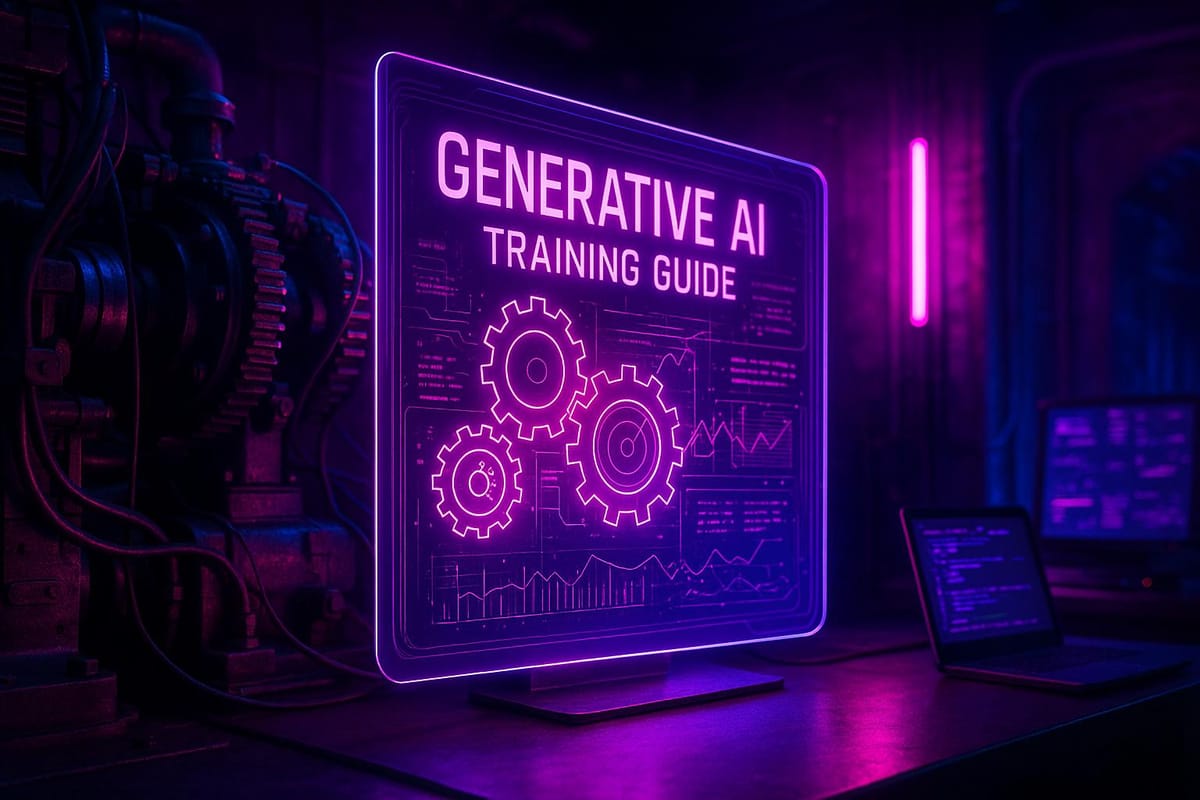
Generative AI is reshaping how businesses modernize outdated systems without overhauling them entirely. It can analyze legacy code, generate documentation, and suggest modernization strategies. But success hinges on team training. Here's a quick breakdown:
- What Generative AI Does: Creates new code, documentation, and solutions by interpreting context and handling complex tasks. It helps with poorly documented systems and legacy code like COBOL.
- Why Training Matters: Teams need to learn prompt writing, reviewing AI outputs, and integrating AI into workflows. Without training, AI’s potential may be underused or misapplied.
- Skills Required: Developers must know legacy languages, prompt engineering, and modern software architectures. Communication and critical evaluation skills are equally important.
- Risks and Compliance: AI introduces new risks like potential vulnerabilities in generated code. Teams must address compliance, data security, and maintain audit trails.
- Training Methods: Practical workshops on refactoring, documentation, and testing are key. Tailored programs for different roles ensure everyone contributes effectively.
Key Takeaway:
Generative AI can modernize legacy workflows, but structured training is the linchpin for success. Focus on hands-on learning, role-specific skills, and phased integration to minimize risks and maximize outcomes.
Strategies for Legacy Transformation using Generative AI | @thoughtworks
Required Skills for AI Adoption
To effectively use generative AI for modernizing legacy workflows, teams need to develop a mix of technical and communication skills. These abilities help bridge traditional practices with the capabilities of AI.
Technical Skills for Generative AI
Integrating generative AI into legacy systems starts with a solid understanding of older programming languages and system architectures. Developers working with AI tools must be proficient in languages like COBOL, FORTRAN, RPG, and older versions of Java or C++. This expertise is essential for validating AI-generated code translations and evaluating modernization suggestions.
One emerging skill is prompt engineering. Unlike traditional programming, where developers write explicit instructions, working with AI requires crafting clear and precise prompts. Developers must structure requests, provide context, and refine prompts to guide AI tools effectively. This involves breaking down complex legacy system requirements into formats that AI can process.
Modern software architecture knowledge is equally important. Teams need to understand microservices patterns, API design, cloud-native systems, and containerization technologies. For example, when an AI tool suggests breaking a monolithic COBOL application into microservices, developers must assess whether this aligns with technical and business needs.
Code review and validation take on a new dimension with AI. Developers must identify potential issues in AI-generated code, such as security vulnerabilities, outdated coding patterns, or logical errors. This includes recognizing AI-specific challenges, like hallucinated functions or inaccuracies stemming from training data.
Version control and change management also grow more complex. Teams must track not only code changes but also the prompts, AI tool versions, and validation processes used. This requires enhanced documentation practices and audit trails to support workflows and meet compliance standards.
These technical skills form the backbone of successful AI adoption, ensuring teams can work effectively with AI-generated outputs.
Communication Skills for AI-Driven Teams
Strong communication skills are essential for teams adopting AI. Critical thinking becomes vital as team members evaluate AI outputs, question assumptions, and decide when to trust or override AI recommendations. At the same time, cross-functional communication becomes more important as AI tools connect different areas of expertise.
Business analysts must translate requirements in ways that both developers and AI tools can understand. Developers, in turn, need to explain AI-generated solutions to stakeholders who may not be familiar with the technology. Quality assurance teams must adapt their testing methods to account for AI-generated components.
Leaders play a key role in managing resistance to AI adoption. They need to address concerns about job security, highlight how AI complements human expertise, and foster an environment where team members feel safe experimenting with AI tools. This includes creating spaces for open discussions about successes and failures.
Documentation and knowledge sharing practices must evolve to capture how AI tools are used. Teams need detailed records of AI interactions, especially in legacy environments where institutional knowledge may already be fragmented.
Finally, feedback and iteration skills are crucial. Teams must provide constructive feedback on AI outputs, refine their approaches, and adapt workflows based on their experiences. This requires a willingness to experiment and accept that initial attempts at AI integration may not be perfect.
Compliance and Risk Management in AI Integration
Beyond technical and communication skills, compliance and risk management are critical for integrating AI into legacy systems. These systems often support essential business functions that must meet strict regulatory standards. Teams need to ensure that AI-generated content aligns with industry standards, security requirements, and sector-specific regulations, such as those in finance, healthcare, or government.
Data governance becomes a key focus since AI tools often need access to sensitive information. Teams must learn how to protect proprietary business logic, customer data, and intellectual property. This includes using data anonymization techniques and securely managing AI tool usage.
Maintaining an audit trail is essential. Teams must document every aspect of AI usage, including the tools used, prompts employed, validation steps, and any changes made to AI-generated outputs. This supports both internal quality checks and external compliance requirements.
Security practices must also adapt. Teams need to identify vulnerabilities in AI-generated code and understand how malicious actors might exploit AI tools. This requires new review methods that focus on AI-specific security risks and secure integration of AI tools into existing workflows.
Lastly, business continuity planning should account for AI tool dependencies. Teams need contingency plans for scenarios where AI services become unavailable, change their functionality, or produce unreliable results. Maintaining human expertise in key areas ensures that AI adoption doesn’t create new vulnerabilities or single points of failure in critical processes.
Training Methods for Generative AI Integration
Integrating AI into teams working with legacy systems requires well-structured training that equips every member to modernize outdated code effectively. This involves practical, role-specific learning with a strong focus on hands-on application and mastering prompt engineering techniques to get the most out of AI tools.
Practical Workshops with Legacy Code
Workshops that use actual legacy code provide some of the most effective training opportunities. These sessions should focus on three main areas: refactoring old code, generating documentation, and creating unit tests for systems that lack proper testing.
Start with refactoring exercises. Use real-world examples of legacy code, such as modules with monolithic structures, outdated patterns, or performance issues. Teams can practice writing prompts to achieve specific results, like breaking down large functions, applying modern design principles, or improving code readability without altering functionality.
Documentation generation workshops tackle a common pain point in legacy systems: incomplete or missing documentation. Participants learn how to prompt AI tools to create technical documentation, API specs, and system architecture diagrams based on existing code. These sessions emphasize the importance of cross-checking AI-generated documentation with the actual system, as AI tools can sometimes make incorrect assumptions about code behavior.
Unit test creation sessions focus on building comprehensive test suites for legacy systems, which often lack adequate testing. Teams learn to prompt AI tools to identify edge cases and generate test scenarios that cover both standard and error conditions. Validation exercises are essential here, helping teams quickly verify AI outputs against benchmarks. Participants also practice refining prompts to improve output quality, understanding that effective AI use often involves multiple iterations.
These hands-on exercises lay the groundwork for more tailored training programs designed to address the specific needs of different roles.
Job-Specific Learning Programs
Training programs should cater to the unique responsibilities of each role within a team. For instance:
- Developers need in-depth training on prompt engineering for tasks like code generation, refactoring, and debugging, all while adhering to coding standards.
- Quality assurance engineers require guidance on testing AI-generated code and building frameworks to validate AI outputs.
- Project managers benefit from learning how to estimate timelines for AI-assisted projects and manage risks associated with AI integration.
- Business analysts need to focus on translating business requirements into formats that AI tools can effectively process.
- System architects should learn how to evaluate AI-generated architectural suggestions while ensuring design consistency.
To enhance collaboration, training should also include cross-functional exercises where team members from different roles work together on AI-assisted projects. This helps everyone understand how AI adoption impacts team dynamics and fosters better communication.
Writing Effective Prompts for AI Tools
Crafting effective prompts is a critical skill for maximizing AI's potential. Teams must master three key strategies: providing context, being specific, and building on conversations.
Providing context involves setting clear parameters in prompts, such as instructing AI to act as a "senior Java architect" or specifying architectural constraints relevant to the legacy system. Including system details, coding standards, and business requirements ensures AI outputs align with project needs.
Being specific means using detailed instructions in prompts. For example, instead of a vague request like "refactor this code", a precise prompt might say, "Refactor this C# function to follow SOLID principles without changing its external behavior". The more specific the input, the more useful the output.
Building on conversations leverages the iterative nature of AI tools. Teams can refine outputs by following up with additional prompts, enabling progressive improvements. For example, an initial refactoring suggestion can be fine-tuned by addressing concerns or incorporating new requirements.
Training should also cover different types of prompts:
- Instructional prompts: Direct commands like "write", "explain", or "compare" for specific tasks.
- Role-based prompts: Asking AI to assume specific personas, such as "You are a security expert reviewing this legacy authentication system".
- Contextual prompts: Providing background information about system constraints, business needs, or technical limitations.
Teams must also learn to critically evaluate AI outputs. This includes identifying inaccuracies, biases, or solutions that don’t align with system requirements or coding standards. For instance, AI might generate outdated patterns, hallucinate functions, or suggest changes that don’t account for legacy system constraints.
Finally, training should emphasize iterative refinement techniques. Teams practice improving AI outputs by asking for alternative approaches, requesting explanations, or adding constraints that weren’t included initially. Through this iterative process, teams can consistently achieve outputs that meet their specific needs.
Best Practices for AI-Driven Legacy Refactoring
Integrating AI into legacy workflows requires a careful, phased approach that emphasizes safety, quality, and gradual adoption. Rushing into AI implementation can lead to setbacks, but a structured strategy helps ensure smoother transitions and better results.
Step-by-Step AI Tool Integration
The smartest way to integrate AI tools is to start small and scale up gradually. Begin with non-critical modules to familiarize teams with AI capabilities without putting essential systems at risk.
Start by applying AI to isolated utility functions with well-defined inputs and outputs. These functions often handle tasks like data formatting, validation, or simple calculations. This is a safe way to practice prompt engineering and understand how AI tools interact with code.
In the next phase, focus on documentation and testing tasks. Use AI tools to generate unit tests, fill in missing documentation, or enhance code comments. These tasks provide immediate benefits while also building trust in AI-generated outputs, which are relatively easy to review and validate.
Once the team has gained confidence, move on to refactoring projects. Target code that could use improvement but isn’t mission-critical - such as updating deprecated APIs, refining error handling, or applying modern design patterns. Before making any changes, establish rollback procedures to ensure you can quickly revert if something goes wrong.
Finally, tackle core system components only after the team has developed strong AI integration skills and implemented rigorous quality control processes. These high-stakes tasks require careful planning and thorough validation to avoid disruptions.
Throughout all phases, maintain parallel environments where AI-assisted changes can be tested extensively before deployment. This setup allows for experimentation without jeopardizing production systems.
Once the integration process is underway, the focus shifts to ensuring quality and minimizing risks.
Quality Control and Risk Reduction
To minimize risks, implement robust quality controls alongside phased integration. A combination of automated testing, manual reviews, and systematic validation helps ensure AI-generated outputs are up to standard. The goal is to create multiple checkpoints to catch potential issues.
Run automated tests and static analyses to identify vulnerabilities and regressions early. This includes unit tests, integration tests, and performance benchmarks to confirm that the code works as intended and doesn’t introduce new problems.
Experienced developers should manually review AI-generated code for logical errors, architectural inconsistencies, and maintainability concerns that automated tools might overlook. Pay special attention to critical decision points where AI has made significant changes to business logic or system architecture.
Use validation checklists to systematically verify AI outputs. These checklists should cover functional accuracy, performance impacts, security considerations, and adherence to coding standards. For legacy systems, prioritize backward compatibility and ensure seamless integration with other components.
Deploy AI-assisted changes incrementally. Roll out updates to staging environments first, then to smaller user groups, and finally to full production. Monitor performance and error rates at each stage, and be ready to roll back if any issues arise.
Develop incident response procedures specifically for AI-related problems. Teams should know how to identify whether an issue originates from AI-generated code and have clear escalation paths for resolving it. Documenting common AI-related problems and solutions helps build institutional knowledge over time.
Creating Documentation Standards
Clear documentation standards are essential for sustainable AI integration. AI tools can help generate detailed documentation, but maintaining consistency and accuracy requires defined guidelines. Set up documentation templates that outline structure, required sections, and formatting for various types of documentation.
For API documentation, create templates specifying how endpoints, parameters, response formats, and error conditions should be described. Include examples of proper style and require teams to validate AI-generated documentation against actual system behavior. This helps avoid errors like documenting nonexistent features or incorrect parameter requirements.
When it comes to system architecture documentation, oversight is crucial. AI tools might make incorrect assumptions about system design, so system architects should review AI-generated diagrams and descriptions. The priority is ensuring documentation reflects the current system state, not an idealized version.
Establish standards for AI-generated inline code comments. Define when comments are necessary, how detailed they should be, and how to explain complex business logic. Teams should review these comments for clarity and accuracy, revising or removing any that create confusion.
Adopt version control practices for AI-generated documentation to track changes and maintain historical context. Regular review cycles ensure documentation stays up to date as systems evolve.
Finally, synchronize AI-generated documentation across all system components. If one module’s documentation is updated, related documentation should also be reviewed to maintain consistency. This prevents contradictions and keeps everything aligned.
For organizations seeking expert guidance, NAITIVE AI Consulting Agency offers specialized services to help businesses integrate AI technologies into their legacy workflows while ensuring system reliability and security.
Measuring Success and Continuous Improvement
Bringing generative AI into existing workflows isn’t a one-and-done effort. It requires ongoing evaluation and fine-tuning to ensure it delivers meaningful results. By focusing on measurable outcomes and embracing continuous feedback, organizations can validate their AI integration efforts and make necessary adjustments along the way.
Key Metrics for Success
To gauge how well AI is working within your systems, track a mix of productivity, quality, and business impact metrics. For instance:
- Productivity metrics: Compare how long it takes to complete tasks - like code refactoring, generating documentation, or running tests - before and after AI adoption. This highlights time savings and efficiency gains.
- Quality indicators: Keep an eye on defect rates by monitoring bug reports, failed tests, and production issues. This ensures AI-generated code meets your quality standards.
- Team productivity: Look at task completion rates, the speed of code reviews, and how often deployments happen. These metrics reflect how AI tools impact overall workflow efficiency.
On the business side, cost savings are a clear win. For example, calculate the time saved on routine tasks and translate that into dollar amounts based on developer salaries. Faster time-to-market for new features and reduced maintenance costs also contribute to the bottom line. Additionally, internal user satisfaction scores provide insight into how well the team is adapting to AI tools.
To make these metrics meaningful, establish baseline measurements before implementing AI. Then, track progress monthly or quarterly to spot trends and make data-driven decisions over time.
Feedback Systems for Continuous Improvement
Metrics are important, but they don’t tell the whole story. That’s where feedback systems come in. By gathering input from diverse sources, you can uncover insights that numbers alone might miss.
- Direct user feedback: Surveys, questionnaires, and in-app feedback buttons let users share their experiences and frustrations directly. Focus groups and interviews with key users can also shed light on how AI tools affect their daily work.
- Behavioral data: Analyze user interaction logs - like clicks, selections, and time spent on features - to identify which AI capabilities are most useful and which might need improvement.
- Collaborative reviews: Regular cross-functional meetings bring together different stakeholders to discuss AI performance, identify challenges, and brainstorm solutions.
But collecting feedback is just the first step. Acting on it quickly is what makes the difference. Use this input to tweak workflows, address pain points, and improve the user experience. Prioritize changes based on their potential impact and make sure the team understands what’s being adjusted and why. Incorporating feedback into training sessions ensures users stay aligned with evolving AI strategies.
Regular Training and Updates
Generative AI evolves at lightning speed, so staying up to date is critical. Teams need regular training to keep pace with new features and best practices.
Focus training programs on practical, hands-on learning. Monthly workshops where teams experiment with new AI capabilities or refine their prompt engineering skills can be particularly effective. Tackling real-world challenges within legacy systems makes these sessions more impactful.
"Given the coexistence of legacy and modernized systems in many organizations, ongoing training is essential." - Larissa Abrao
Upskilling team members who are experts in legacy systems is especially important. Their deep knowledge of system architecture and business logic makes them well-positioned to leverage AI tools effectively. Knowledge-sharing sessions can further spread successful techniques across the team.
Regular review cycles, such as quarterly assessments, help identify skill gaps and ensure training programs stay relevant. Building a culture of continuous learning - where experimenting with new approaches and sharing lessons is encouraged - sets the stage for long-term success.
"Legacy experts should be upskilled to work with new technologies, fostering a culture of continuous learning." - Larissa Abrao
External opportunities like conferences, webinars, and industry forums can also keep teams connected to the latest AI trends. Structured learning paths that progress from basic to advanced techniques ensure everyone, regardless of skill level, can adapt to the challenges of modernizing legacy systems.
For organizations needing tailored support, NAITIVE AI Consulting Agency offers expertise in creating metrics, feedback systems, and training programs specifically designed for legacy environments. Their guidance can help teams navigate the complexities of AI integration with confidence.
Conclusion
Bringing generative AI into legacy workflows reshapes how teams think, work, and collaborate. To make the most of this transformation, it’s essential to focus on a few key areas: understanding the role of generative AI, developing both technical and interpersonal skills, engaging in hands-on training, and adhering to well-defined best practices.
The main takeaway? Structured training is a game-changer. Teams that dedicate time to mastering prompt engineering, navigating compliance requirements, and working with real legacy code achieve far better outcomes than those who dive in unprepared. Combining practical workshops, role-specific training, and regular feedback creates a strong foundation for long-term success.
A step-by-step approach works best. Starting small, implementing quality controls, and standardizing documentation help reduce risks while unlocking the full potential of AI in legacy environments. This careful planning ensures smoother integration and maximizes the value AI can bring.
Consistent measurement and feedback are crucial for sustaining success. While legacy systems might feel like relics of the past, the right training and strategic integration can turn them into the backbone of modern, AI-powered workflows.
Every legacy system has its own quirks and challenges. Tailoring training programs and integration strategies to fit specific technical and regulatory needs ensures a smoother transition. With the right approach, generative AI not only modernizes outdated systems but also safeguards the critical business logic they house - an approach championed by NAITIVE AI Consulting Agency.
The future for legacy systems lies in intelligent transformation. When paired with thoughtful integration and proper training, generative AI becomes a powerful tool for modernizing workflows while retaining the invaluable knowledge and processes embedded in existing systems.
FAQs
How can teams integrate generative AI into legacy systems while ensuring data security and compliance?
To integrate generative AI into legacy systems while keeping data secure and meeting compliance standards, it's essential to follow a structured approach. Begin by leveraging middleware and APIs to link AI tools with your current infrastructure. This ensures compatibility and minimizes any potential disruptions during the process.
Focus on establishing strong data governance practices. This includes creating secure data transformation pipelines and enforcing strict access controls to safeguard sensitive information.
On top of that, put privacy safeguards in place, introduce model governance protocols, and conduct regular compliance checks. These steps help reduce security risks and ensure adherence to regulatory requirements. By addressing these key areas, businesses can effectively modernize workflows with generative AI while maintaining a safe and compliant operational environment.
What key skills should developers focus on to successfully use generative AI in modernizing legacy workflows?
To make the most of generative AI in updating legacy workflows, developers need to prioritize clear communication. This means being able to define AI use cases and objectives with precision. Alongside this, having a strong grasp of automation, code refactoring, and the ability to integrate AI models into existing systems is key.
Equally important is a solid understanding of DevOps and MLOps principles, which help ensure that AI is implemented and managed without unnecessary hiccups.
When developers hone these skills, they can streamline the adoption of generative AI, making legacy workflows more efficient and opening the door to fresh possibilities.
What are the best ways to measure the success of generative AI in legacy workflows and ensure it keeps improving?
To gauge how well generative AI performs in legacy workflows, businesses should establish clear KPIs like model accuracy, operational efficiency, and task completion rates. These metrics provide a solid foundation for assessing the AI's performance and its influence on overall business results. Keeping an eye on ROI, user adoption, and engagement levels is also critical to ensure the system continues to provide value over time.
Regularly reviewing performance data, fine-tuning processes, and smoothly integrating AI into DevOps workflows can drive continuous improvement. This strategy enables quicker deployment cycles, timely system updates, and ensures the AI adapts to shifting business priorities effectively.