How to Build No-Code AI Agents for Email and Research
Learn how to build no-code AI agents to streamline email management and automate research tasks in minutes.
As we approach 2026, the integration of AI agents into business operations is no longer a luxury; it's a necessity. Organizations across industries are leveraging AI to save time, automate repetitive tasks, and enhance productivity. However, many professionals still perceive building AI agents as an overly technical and complex endeavor. The good news? That perception is rapidly changing.
In a detailed walkthrough, experts demonstrated how anyone, regardless of technical expertise, can create functional AI agents using no-code platforms like Lindy. From managing email inboxes to conducting complex research, these agents can revolutionize the way businesses handle everyday workflows.
This article dives deep into how you can create two powerful AI agents: one for streamlining email management and another for generating weekly AI learning guides. If you’re a business leader, technology executive, or an AI enthusiast, this guide will help you unlock practical applications of AI agents without writing a single line of code.
Why AI Agents Are Essential in 2026
The workplace is evolving at an unprecedented pace. Traditional methods of managing tasks are becoming obsolete in the face of AI-driven efficiency. While some organizations still rely on manual workflows, the leaders of tomorrow are those who embrace the potential of AI agents to save time and make smarter decisions.
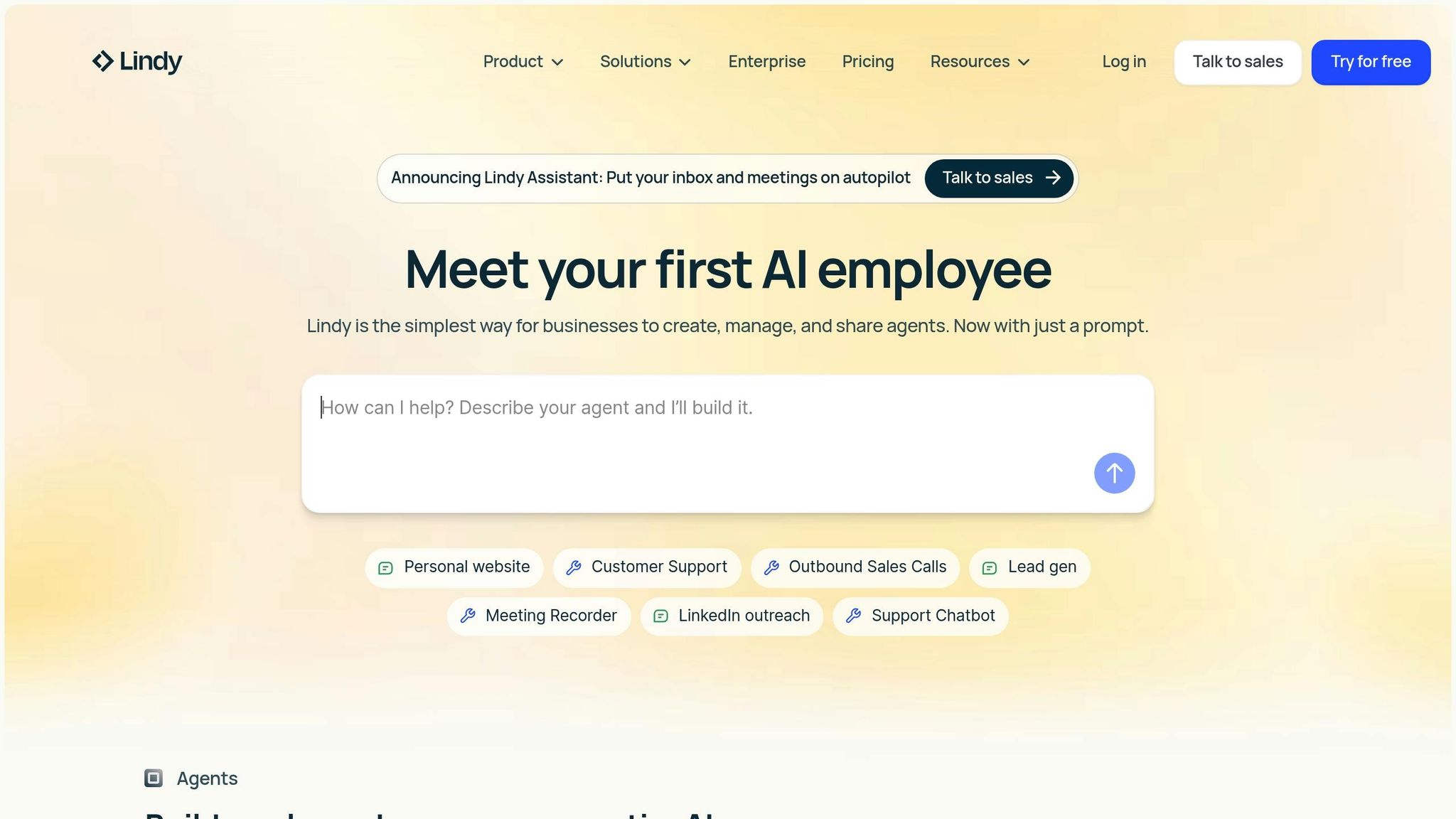
AI agents can handle tasks like filtering emails, synthesizing data, and delivering actionable insights, allowing teams to focus on strategic initiatives. And thanks to no-code tools, you no longer need to be a developer to implement these solutions. Platforms like Lindy allow anyone to simply describe their idea in natural language and create intelligent agents within minutes.
Tutorial: Building No-Code AI Agents in Lindy
In this section, we'll explore two specific use cases:
- An email inbox manager to declutter your communication channels.
- A research agent to deliver weekly AI insights from online sources like Reddit.
Each agent demonstrates the simplicity and versatility of no-code platforms, highlighting how they can transform daily workflows.
1. Building an Email Inbox Manager
Managing an overflowing inbox is one of the most time-consuming tasks for professionals. Here’s how to create an AI agent that categorizes, labels, and organizes your emails automatically:
Step 1: Describe Your Idea in Natural Language
Once logged into the Lindy platform, start by typing your requirements:
"Can you build me an email inbox manager? Anytime I receive an email, classify it as one of the following: FYI, Action Required, Waiting For, or Spam. Move spam emails to the junk folder."
Step 2: Configure the Agent
- Triggers: Define when the agent should "wake up" (e.g., whenever an email is received).
- Actions: Set specific behaviors such as labeling emails or moving spam to the junk folder.
Step 3: Test and Deploy
Run a test to ensure the agent is functioning as intended. If the results match your expectations, deploy the agent to start managing your emails in real-time. For example:
- An expense email is labeled as Action Required, prompting you to address it.
- Notifications or lunch service reminders are marked as Spam and moved to junk.
- Updates on events are categorized as FYI, keeping you informed without overwhelming your inbox.
Customization Tip: Adjust Rules as Needed
You can refine the agent’s natural language instructions or edit its behavior in the flow editor. For instance, you might add more granular classifications or additional actions tailored to your workflow.
2. Creating a Weekly AI Research Agent
Imagine receiving weekly curated insights on AI topics without spending hours browsing the internet. This agent automates the process of scraping online forums, synthesizing information, and delivering a concise learning brief directly to your inbox.
Step 1: Set Up a Recurring Trigger
Define when the agent should run. For example:
"Wake up every Monday at 9:00 a.m."
Step 2: Define the Agent's Task
Instruct the agent to:
- Scrape selected subreddits (e.g., PromptEngineering, OpenAI, Anthropic).
- Use tools like Perplexity to fact-check and validate the scraped information.
- Synthesize the findings into a one-page report.
Step 3: Add Skills and Memory Management
- Skills: Equip the agent with tools for scraping Reddit, conducting searches, and managing memory.
- Memory Management: Allow the agent to retain relevant details across tasks, ensuring it builds on previous learnings.
Step 4: Deliver the Report
Set the final step to send the synthesized report to your email. Customize the subject line (e.g., Weekly AI Learning Brief) and include links to the original sources for deeper exploration.
Test Example:
When tested, the agent successfully scraped three subreddits, validated the data, and sent a polished summary of key learnings. The email included actionable insights and source links, providing a convenient way to stay updated on AI advancements.
Practical Applications of No-Code AI Agents
The potential use cases for no-code AI agents are vast and impactful. Here are some ways businesses can benefit:
- Time Savings: Automate repetitive tasks like email sorting, scheduling, and data collection.
- Decision Support: Use agents to research trends, compile reports, and generate actionable insights.
- Workflow Optimization: Streamline processes across departments, reducing inefficiencies and human error.
- Enhanced Learning: Stay ahead in your industry by automating the curation of educational content.
By embracing no-code platforms, businesses can bridge the gap between technical capabilities and operational needs, empowering users at all levels to create meaningful AI solutions.
Key Takeaways
- AI Agents Made Simple: Building AI agents no longer requires technical expertise. No-code platforms like Lindy allow you to describe ideas in natural language and turn them into functional tools.
- Time Efficiency: The email inbox manager example highlights how AI can save hours by automating classification and organization.
- Customizable Workflows: Both triggers and actions can be tailored to meet unique business needs, providing flexibility and control.
- Advanced Features: Skills like memory management and fact-checking enable agents to perform complex, multi-step tasks.
- Scalable Applications: From personal productivity to enterprise-level automation, AI agents can be deployed across industries for diverse use cases.
Conclusion
The rise of no-code platforms has democratized access to AI, enabling professionals to take charge of their automation journeys. Whether you’re cleaning up your inbox or synthesizing research, AI agents represent a powerful tool for enhancing productivity and staying competitive in a fast-paced world.
As 2026 approaches, the ability to build and deploy intelligent agents is no longer limited to developers. It’s an essential skill for anyone looking to maximize efficiency and innovate in their field. Why wait? The future of work is here, and AI agents are leading the charge.
Source: "The Only AI Agent Tutorial You’ll Ever Need (No Code)" - Lindy, YouTube, Nov 13, 2025 - https://www.youtube.com/watch?v=Bbqi5cfVZ9I